
Mapping Transactions to Tally Ledgers
Mapping is where a raw statement becomes correct Tally vouchers — each transaction assigned to the right ledger. LedgerSync does most of it automatically and learns from every correction you make.
Suggestions & rules
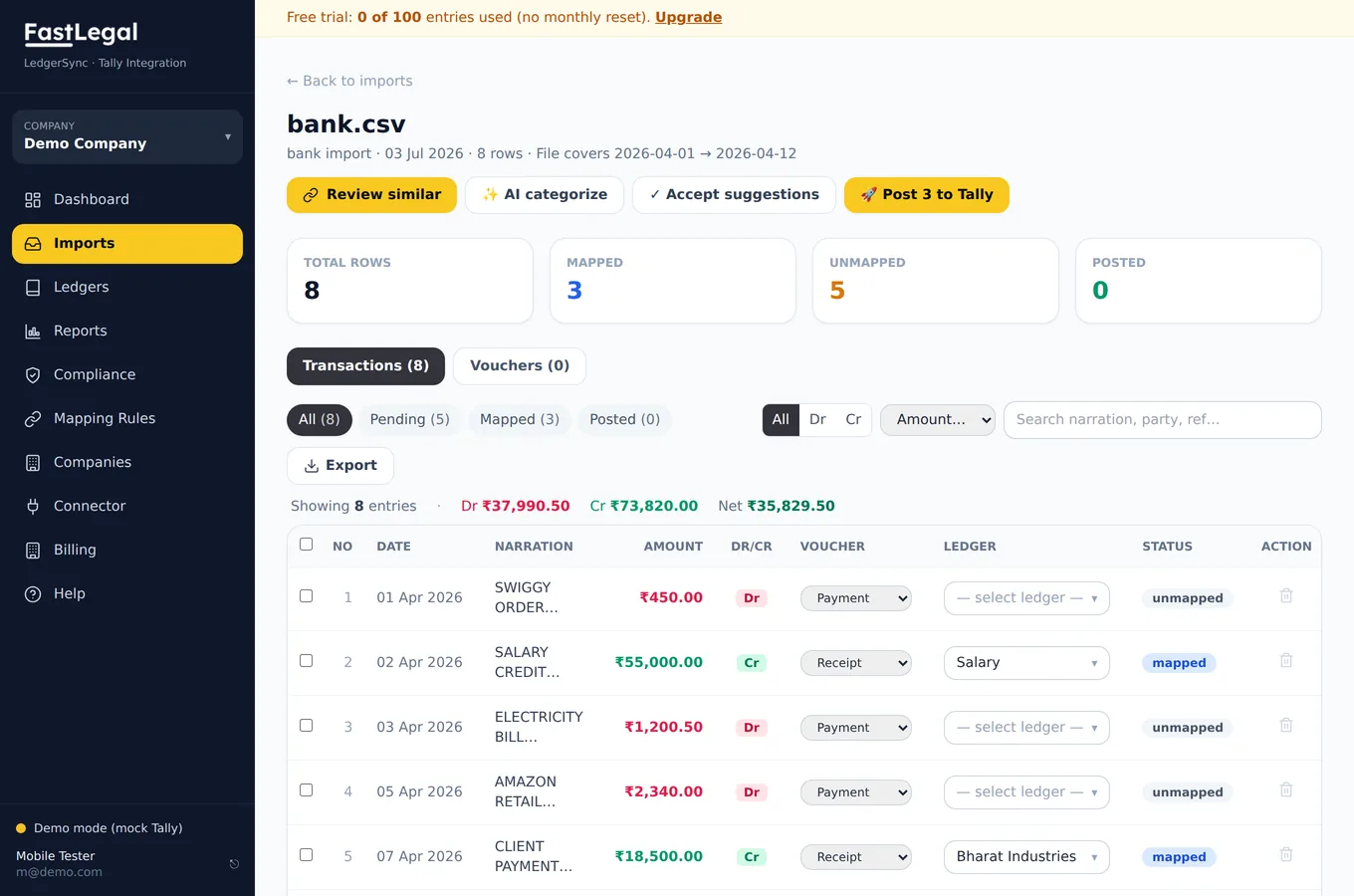
Every row arrives with a suggested ledger, based on your mapping rules and past choices. Accept it, or pick another ledger from the searchable dropdown. When you correct one, a rule is remembered so the same narration maps itself next time.
Review similar — bulk mapping
Recurring narrations (UPI payees, EMIs, salaries, bank charges) are grouped. Click Review similar, choose one ledger, and map the whole group in a single click. A month of repetitive entries becomes a few decisions.
AI categorisation
For narrations no rule matches, AI categorisation suggests a ledger with a confidence score. Uncertain entries are flagged rather than auto-posted — you always approve before anything reaches Tally.
Mapping Rules
Manage your keyword→ledger rules under Mapping Rules. Add rules like “contains SWIGGY → Food & Beverages”, and they apply to every future import.